
Beginner Tips for Taking Better Phone Photos
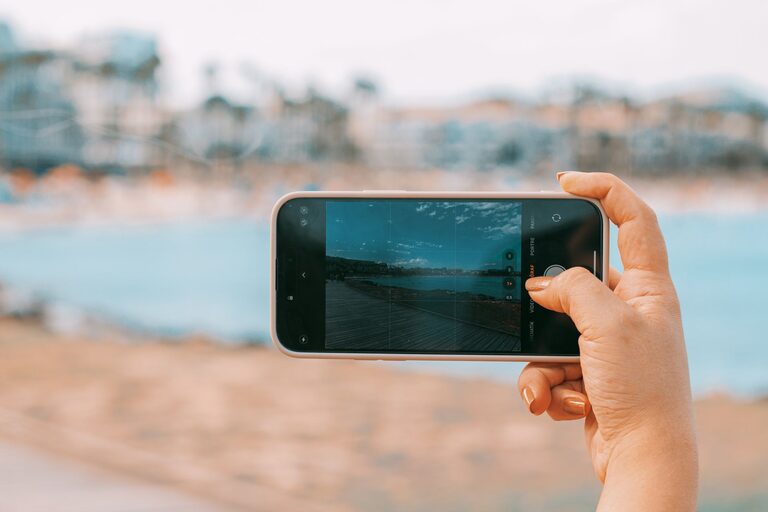
Taking great photos with your phone doesn’t require expensive equipment or advanced skills. Whether you want to capture memorable moments, beautiful landscapes, or creative shots, a few simple tips can dramatically improve the quality of your photos. In this post, we’ll explore beginner-friendly techniques to help you take better phone photos every time.
Understand Your Phone Camera
Explore Camera Settings
Most smartphones come equipped with powerful cameras that offer several settings and modes. Spend some time exploring your camera app’s features like HDR (High Dynamic Range), grid lines, portrait mode, and manual exposure controls. Knowing what your phone can do helps you make the most of each shot.
Clean Your Lens
It sounds basic, but a clean lens makes a big difference. Phone cameras are exposed to dust, fingerprints, and smudges, all of which can blur your photos. Use a soft cloth or lens wipe to keep the lens clear before shooting.
Focus on Composition
Use the Rule of Thirds
Imagine dividing your screen into a 3×3 grid. Placing your subject along these grid lines or at their intersections tends to create balanced and visually appealing images. Most phone cameras have a grid option that you can enable to practice this technique.
Keep the Background Simple
Avoid cluttered or distracting backgrounds that take attention away from your subject. A clean background helps highlight the main focus of your photo.
Experiment with Angles
Don’t just shoot from eye level. Try different perspectives like getting low to the ground or shooting from above. Changing your angle can add interest and creativity to your photos.
Use Natural Light
Find Good Lighting
Natural light is one of the best tools for phone photography. Aim to take photos in soft, diffused light like early morning or late afternoon. Avoid harsh midday sunlight that creates strong shadows and blown-out highlights.
Position Your Subject
When possible, position your subject so the light falls on them evenly. For portraits, side lighting or backlighting can create beautiful effects, but avoid direct overhead light that can make faces look flat.
Avoid Using Flash
Built-in phone flashes are often harsh and can wash out your subject. Instead, rely on natural or ambient light whenever possible. If you need extra light, try using nearby lamps or a portable LED light instead.
Hold Your Phone Steady
Use Both Hands
Hold your phone with both hands to minimize shaking. This helps keep your photos sharp and clear.
Lean on a Stable Surface
For even steadier shots, lean against a wall, table, or another stable surface while taking photos. This can help reduce blur from hand movement.
Use Timer or Voice Commands
If your phone supports it, use a timer or voice command to take photos without touching the screen. This reduces camera shake and is great for self-portraits or group shots.
Focus and Exposure Control
Tap to Focus
Most phone cameras allow you to tap the screen to focus on a specific area. Tap your subject before shooting to ensure it’s sharp.
Adjust Exposure
After tapping to focus, you can often slide your finger up or down to increase or decrease brightness. Adjust exposure to avoid overly dark or washed-out photos.
Edit Your Photos
Use Built-In Editing Tools
Your phone’s gallery or camera app usually includes basic editing tools like cropping, brightness, contrast, and saturation adjustments. Simple edits can enhance your photo’s appearance dramatically.
Try Free Editing Apps
There are many free apps like Snapseed, VSCO, or Lightroom Mobile that offer more advanced editing options with user-friendly interfaces. Experiment with filters, color correction, and sharpening to enhance your images.
Don’t Overdo It
While editing is fun, try to keep your photos natural. Over-editing can make images look unrealistic or overly processed.
Practice and Experiment
Take Lots of Photos
The best way to improve is to practice regularly. Try photographing different subjects like people, pets, nature, or everyday objects.
Challenge Yourself
Set small challenges such as shooting only in black and white, capturing reflections, or experimenting with shadows. Creative constraints can improve your skills and inspire new ideas.
Review and Learn
Look back at your photos and analyze what works and what could be better. Learning from your shots helps you improve over time.
Conclusion
Taking better phone photos is all about understanding your device, paying attention to light and composition, and practicing regularly. With these beginner tips, you’ll soon be capturing clear, attractive images that you’ll be proud to share. Remember, the best camera is the one you have with you — your phone — so start exploring and have fun creating!